How to Use a Crosley Record Player: Setup, Speeds and Fixes
Published Updated How we research
To use a Crosley record player, set it on a level surface, power it with the supplied adapter, pick the speed that matches the record (33 1/3, 45 or 78 RPM), lay the record label side up and lower the tonearm with the cueing lever. For louder or fuller sound, send the output through Bluetooth or the RCA jacks to external speakers. The steps differ slightly between suitcase models like the Cruiser Plus and Voyager and full-size ones like the Stave, so this guide notes where they split and covers the problems that come up most.
Products from this article
The highest-scoring picks from the buying guides this article links to. Scores are our editorial assessment, not customer ratings.
As an Amazon Associate we earn from qualifying purchases. This does not change our picks. Affiliate disclosure
New to Prime? Try Prime free for fast, free shipping on eligible items.
+ Listing includes a carbon fiber tonearm with adjustable counterweight and a pre-mounted Audio-Technica ATN3600L
From our guide: Best Crosley Record Players (2026)
+ RCA out on the white Journey lets you graduate to proper speakers later
From our guide: Best Suitcase Record Players (2026)
+ Genuine elliptical stylus restores AT95E cartridges to factory sound
From our guide: Best Replacement Styli (2026)
+ Updated Bluetooth improves range and stability over the R1700BT
From our guide: Best Powered Bookshelf Speakers for Vinyl (2026)
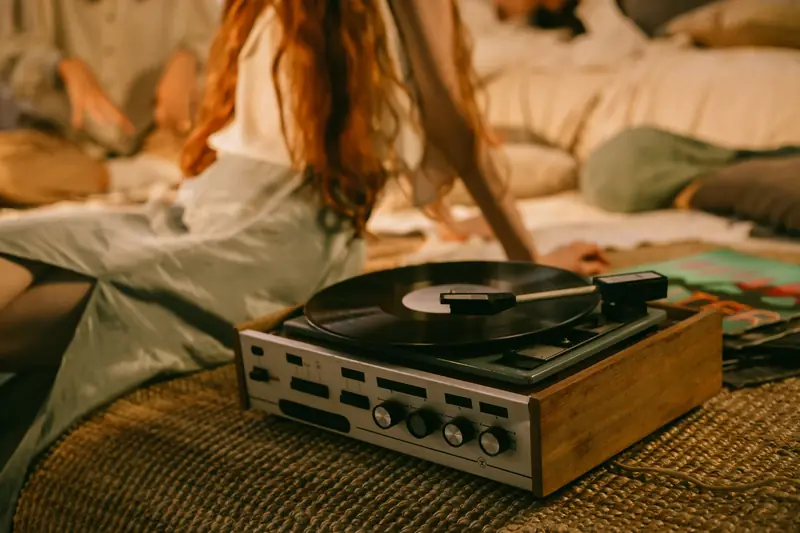
Unpack it and set it up on a flat surface
Put the player on a firm, level surface before you plug anything in. Suitcase models such as the Cruiser Plus, Voyager and Discovery play through small built-in speakers, and a wobbly table or a shelf next to a subwoofer is the usual reason a stylus jumps. Remove any transit clip, foam or tie that holds the tonearm, and check that the drive belt on a belt-drive model sits on the motor pulley and the platter as the manual shows. If the platter spins but the belt looks loose or twisted, stop and reseat it before playing anything.
Connect the power adapter that came in the box. Crosley states in its manuals that these players run from the supplied adapter, so a different adapter with a different voltage is a bad idea. On the full-size Stave and the C62C, fit the counterweight and set it to the tracking force the manual gives for the pre-mounted Audio-Technica cartridge. Suitcase models skip this step because the tonearm comes ready to play.
Pick the right speed and put a record on
Most Crosley suitcase players have a three-position speed switch: 33 1/3, 45 and 78 RPM. Albums and most 12-inch records are 33 1/3, singles and some 12-inch dance records are 45, and old shellac discs are 78. Set the switch to match the label before the platter turns. The Stave and C62C list 33 1/3 and 45 only, so they are not meant for shellac discs.
Seven-inch singles need the 45 adapter, the small plastic insert that fits in the large center hole. Scout listings mention one in the box, and most players that handle 45s use the same kind. Lay the record on the platter, label side up, and make sure it sits flat. A warped disc or a record sitting on the spindle collar is a common cause of wobble and skipping.
A word on 78s: shellac discs were cut with wider grooves, and collectors generally use a larger stylus for them than for modern LPs. If you plan to play many 78s, check the manual and consider a dedicated stylus rather than running them on the same tip as your LPs.
Lower the needle and set the volume
Most suitcase models have a cueing lever. Lift the tonearm off its rest with the lever up, swing it over the lead-in groove at the outer edge, then lower the lever so the stylus settles on the record. Lowering by hand is the way chips and scratches happen, so use the lever when the model has one. Set the volume low before the stylus touches down, then raise it once music is playing.
On models with auto stop, such as the Scout and the Stave, the arm lifts at the end of a side. On a model without it, the stylus rides the run-out groove and you hear a steady thump until you lift the arm, so do not walk away from a manual player. When the side ends, return the arm to its rest and secure it before moving or closing the case.
Play through Bluetooth, RCA or headphones
Check which Bluetooth direction your model offers. The Cruiser Plus, Voyager and Discovery are listed with Bluetooth in and out, while the Scout and Musician are listed as input only. Bluetooth out sends the record to a wireless speaker or headphones. Bluetooth in lets you stream your phone through the built-in speakers. To pair, put the player in pairing mode as the manual describes, then choose it from the device list on your speaker or phone.
For better sound, use the RCA output with powered speakers or an amplifier. Models with a built-in preamp, including the Stave and C62C, have a switch for it: set it on when the output goes to powered speakers or a line input, and off when the player plugs into the phono input of a receiver that has its own phono stage. Using two preamps at once makes the sound thin and loud, and using none makes it very quiet.
If you hear a low hum on the RCA output, the ground wire is a known cause. Our article on grounding a turntable explains where it connects.
Fix the usual problems
No sound from the built-in speakers: check the volume, the input or function switch, and whether Bluetooth is connected to something else and sending the audio there. If the player is plugged into an external amp, the built-in speakers may be muted by design on some models, so check the manual.
Skipping or jumping: look first at the surface and the record. Then check that the stylus is clean and not worn. Dust builds up on the tip fast, and a needle that has played many hours should be replaced, which is cheap on most suitcase models. A worn stylus also damages grooves over time.
Wrong speed or wavering pitch: confirm the speed switch matches the record. If it still sounds slow or uneven, the belt on a belt-drive model may be stretched or off the pulley. Models with a pitch control can be nudged back to correct speed, but a belt that has stretched needs replacing.
Distortion on loud passages: small built-in speakers cannot handle bass-heavy records at high volume. Turn the volume down or use external speakers through the RCA output.
Moving up to a different brand
If your Crosley setup has you curious about how a step-up player handles things like a counterweight, anti-skate and a removable cartridge, it helps to see the routine on a model that has them. The setup logic is different enough that a quick walkthrough avoids mistakes with tracking force and speed selection.
Keeping records clean for a suitcase player
Crackle and noise from a Crosley are often blamed on the player when the real culprit is dust and grime in the grooves. Cleaning matters even more with light tracking setups that press down harder on the vinyl. Knowing when a dry brush is enough and when a wet method is needed keeps both records and stylus in better shape.
Frequently asked questions
Can I leave the lid open while playing? On suitcase models the speakers are in the case, and the lid is often part of the sound path. Dust is the practical concern: keep the lid or dust cover closed when the player is idle.
Do Crosley players work without speakers? Models with built-in speakers work on their own. Players with a line output can also feed an amplifier or powered speakers through RCA cables, and the built-in speakers keep working unless the model mutes them.
Can I upgrade the cartridge on a Crosley? Per the listings, the Stave and C62C have a pre-mounted Audio-Technica cartridge and a standard mount on the Stave, so a swap is possible. For suitcase models the listings mention no upgrade path, so the usual fix is a replacement stylus for the same cartridge.
Which speed do I use for a 7-inch single? Most are 45 RPM, with the center-hole adapter on the spindle. Check the label if you are unsure, since a few are 33 1/3.
Popular right now
- How to Ground a Turntable and Eliminate HumArticle
- How to Align a Phono Cartridge for Accurate TrackingArticle
- RIAA equalization explainedGlossary
- Setting Tracking ForceArticle
- Best Stylus Cleaners for Vinyl (2026)Buying guide
- How to Fix a Turntable Playing Through Only One ChannelArticle
Based on the last 28 days of search and visitor data.